
AI image for marketing and advertising works best when it starts with a real creative brief, not a request for a "good ad image." Define the product, buyer, offer, channel, and review rule first; then use ImageImage.org to generate a controlled visual direction you can judge before it enters a campaign workflow.
Use ImageImage.org for the first pass, and bring in Pricing only when the workflow is clear enough to repeat. The practical question is not whether AI can make a polished image. It is whether the result supports a specific marketing decision without hiding weak claims, brand mismatch, or channel constraints.
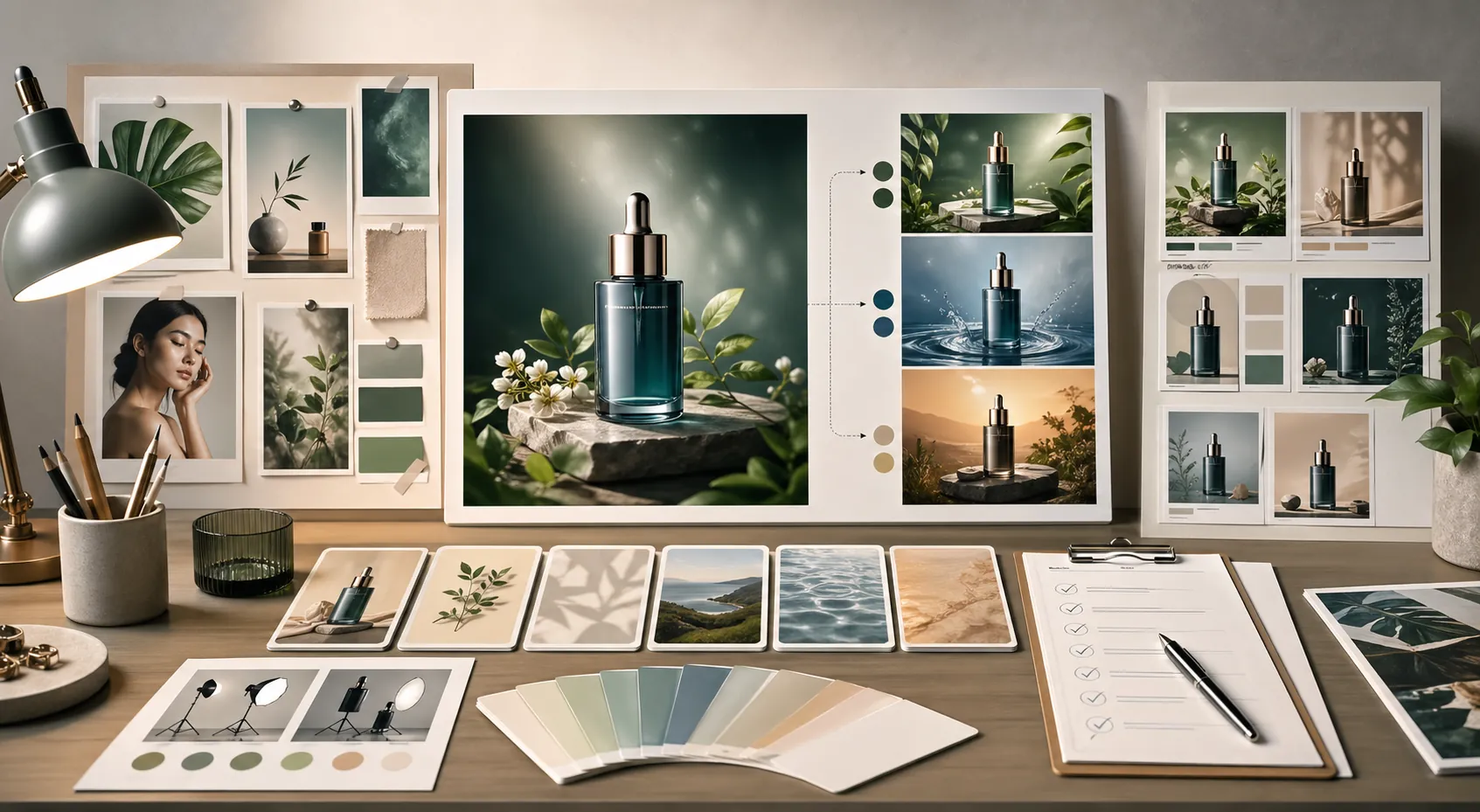
Key Takeaways
- Start with the brief: product, audience, offer, channel, and success signal.
- Change one prompt variable at a time so the team knows what improved.
- Use ad angles as creative hypotheses, not as proof of campaign performance.
- Keep a human review step for brand fit, product accuracy, and unsupported claims.
Start With the Creative Brief for AI Image for Marketing and Advertising
A strong AI image for marketing and advertising workflow starts before the prompt. Name the product category, the target customer, the offer angle, and the first channel where the creative will appear. Without those details, the generator may produce something attractive that still fails the commercial job.
The brief also keeps the first test small. A landing-page hero, a product comparison image, and a social ad concept need different framing, even when they feature the same product.
- Product: define what is being shown or sold.
- Audience: name who needs to understand the offer quickly.
- Offer angle: decide what the creative should make obvious in 5 seconds.
- Channel: choose where the result appears first.
Brief Checklist
- Product Category: describe the object, service, or feature being promoted.
- Target Customer: define who must understand the offer and what they already care about.
- Offer Angle: choose the benefit, problem, or promotion the creative should make obvious.
- Channel: decide where the creative appears first so size, crop, and visual density are not generic.
That baseline makes ImageImage.org easier to judge. It also matches the discipline recommended in OpenAI's prompt engineering guide: better instructions usually come from clearer context, constraints, and examples.
Prompt Variables That Change Product Photo Results
Product-photo prompts usually fail for small reasons: unclear lighting, a distracting background, or a composition that does not guide the eye. Change one variable at a time so the team can see what actually improved the result.
For AI image for marketing and advertising, the most useful variables are simple enough to document. Lighting affects trust and readability. Background controls distraction. Composition determines what the viewer notices first. Style keeps the output aligned with the offer instead of turning into generic promotional art.
- Lighting: set the mood and make the product readable.
- Background: remove clutter and match the intended channel.
- Composition: decide what the viewer should notice first.
- Style: keep the visual treatment consistent with brand context.
- Constraints: name anything the model should avoid, such as false packaging details or unrealistic product use.
Checklist
- Test one product and one channel first.
- Save the prompt with the selected output.
- Record the variable that changed between versions.
- Stop when the next change would be design cleanup rather than prompt improvement.
Ad Creative Angles Worth Testing
Ad creative needs an angle before it needs decoration. A benefit-led angle, a problem-led angle, and an offer-led angle can all show the same product, but they ask the image to do different work.
Keep these as creative hypotheses. Do not claim a conversion lift, a winning A/B test, or a proven audience response unless you have real campaign data outside the image generator.
- Benefit-led angle: for a refillable water bottle, show the bottle within easy reach on a focused work desk.
- Problem-led angle: for a shelf organizer, show the crowded before-state beside a cleaner product-led arrangement.
- Seasonal or offer-led angle: for a holiday bundle, show the gift context without price text, badges, or fake discount claims.
For example, a skincare brand might test "clean bathroom counter, morning routine, soft natural light" for a benefit-led concept, then try "messy shelf before organization" for a problem-led concept. Those examples are hypothetical, but the distinction is useful: each prompt asks the image to communicate a different marketing idea.
When the angle is still unclear, return to the product and channel brief before opening more variations. AI Image Tools can support the workflow, but the creative direction should not be outsourced to tool hopping.
Where Prompt Generators Still Need Human Direction
Prompt generators can accelerate the first pass, but they cannot own the final judgment. Someone still has to check whether the output matches the product, whether the claim is supportable, and whether the image fits the channel.
Anthropic's prompt engineering overview and OpenAI's prompt generation guide both point toward a similar habit: prompts improve when the task, context, constraints, and evaluation criteria are explicit. Marketing images need the same discipline because a visually strong output can still misrepresent a product.
- Brand fit: does the image feel like it belongs with the existing site, campaign, or product line?
- Claim accuracy: does the visual imply a result, feature, or use case the product cannot support?
- Product accuracy: are packaging, materials, proportions, and context believable?
- Channel fit: will the image remain clear after cropping, compression, or placement in an ad unit?
This review step is where AI image for marketing and advertising becomes a practical workflow rather than a novelty. The goal is not more variations; it is a version the team can approve, revise, or reject with a clear reason.
A Simple Product Campaign Prompt Template
A template is useful only when it keeps the prompt disciplined. Use this structure after the brief is clear, not as a substitute for the brief.
- Name the product and buyer.
- Define scene, lighting, angle, and background.
- Add brand or channel constraints.
- State what should be excluded from the output.
Prompt Template
- Goal: create one marketing image for a specific product and channel.
- Context: name the buyer, offer angle, placement, and visual mood.
- Scene: describe setting, product position, lighting, and background.
- Style: define realistic, editorial, studio, lifestyle, or another controlled direction.
- Guardrails: exclude false claims, extra logos, unreadable text, or features not present in the product.
Here is the reusable pattern:
Create a marketing image for [product] aimed at [buyer] for [channel]. Show [scene] with [lighting], [background], and [composition]. The visual should communicate [offer angle]. Avoid [negative constraints]. Keep the product accurate and do not add text, logos, or unsupported claims.
After one or two passes, compare the best image with the original brief. If it supports the offer, save the prompt and output together. If it needs heavy repair, rewrite the brief before spending more time on variations.
FAQ
When Does AI Image for Marketing and Advertising Make Sense?
Use AI image for marketing and advertising when you have one clear product, channel, and review rule. If the goal is still vague, define the creative brief before trusting the first result.
What Problem Does AI Image for Marketing and Advertising Solve?
It helps turn a broad campaign idea into a visual first pass that a marketer, founder, or designer can judge. The value is speed plus reviewability, not automatic campaign strategy.
What Does a Practical AI Image for Marketing and Advertising Workflow Look Like?
The practical workflow is brief, prompt, generate, review, revise, and save the best prompt-output pair. Use ImageImage.org first, then branch only when the result points to a real follow-up.
What Are the Main Limitations of AI Image for Marketing and Advertising?
The main limitations are vague inputs, weak review criteria, product inaccuracies, and unsupported visual claims. Change one variable at a time and stop when cleanup becomes the real work.
How Do You Know If AI Image for Marketing and Advertising Is the Right Fit?
It is the right fit when the first run produces an image you can reuse, explain, or improve with a clear next change. If every result needs heavy manual repair, narrow the brief before generating more.
Final Take and Next Step
A useful AI image for marketing and advertising workflow turns a vague visual request into a brief, a controlled prompt, and a review rule. Start with ImageImage.org, create one product-and-channel test, and save the prompt only when the result supports a real marketing decision.
Continue when the image is accurate, on-brand, and easy to judge. Pause when the prompt produces attractive images that still miss the offer, audience, or channel.